.png?width=200&height=52&name=fedelta-pos-logo%20(1).png)
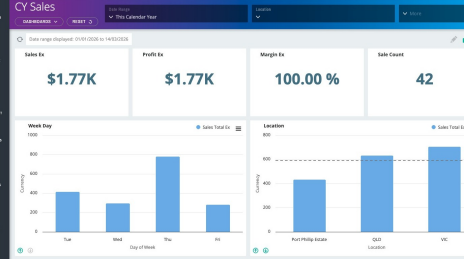
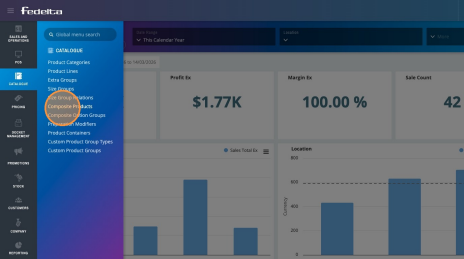
2.To navigate to the Composite Products, click on Catalogue and then on Composite Products.
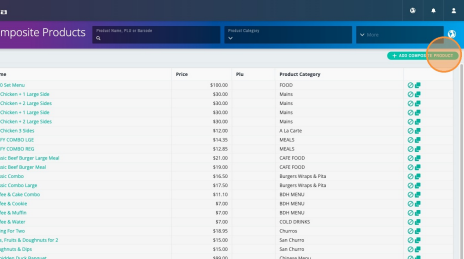
3.Click "Add Composite Product"
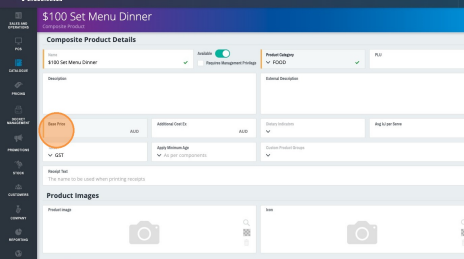
4.Give your composite product a name (such as "$100 Set Menu"), a product category (such as "Food"), and the base price that you plan on charging your customer, including GST.
In this instance, it's going to be $100.
5.To add in the items that create your composite product, you can either add an existing product line or add a new product line. You can add as many products as you like as a part of your composite product (in this case, our set menu).
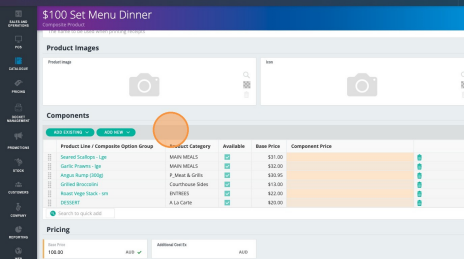
-
Tip! If you want to add a selection of entrees, mains, or desserts where the customer chooses one from each course, you can do this by going to Catalogue menu and Composite Option Groups.
From here, you can add a composite option group by:
-
- Adding in the products that the customer can choose from
- Naming the group (for example, "Entree Options")
- Then add this option group to your composite product so when selected on POS, the POS prompts the user for a selection for each component of the composite product.
6.By default, the docket selectors or printing rules of the components or product lines that you have added into your composite product will adhere to the printing rules as standard.
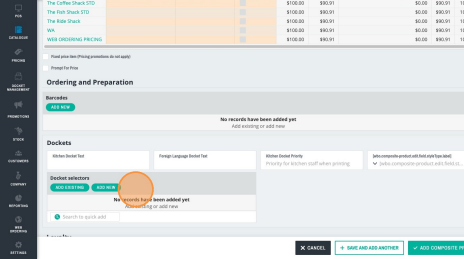
However, if you would like the composite product to ignore those printing rules and print to a particular printer, you can add your docket selector to your composite product by:
- Scrolling down to docket selectors
- Either adding an existing docket selector or adding a new one
- Tip! Once you have saved your Composite Product, you can add it to your screen layout and test it on your POS. It's then ready to sell.